 What you’ll learn

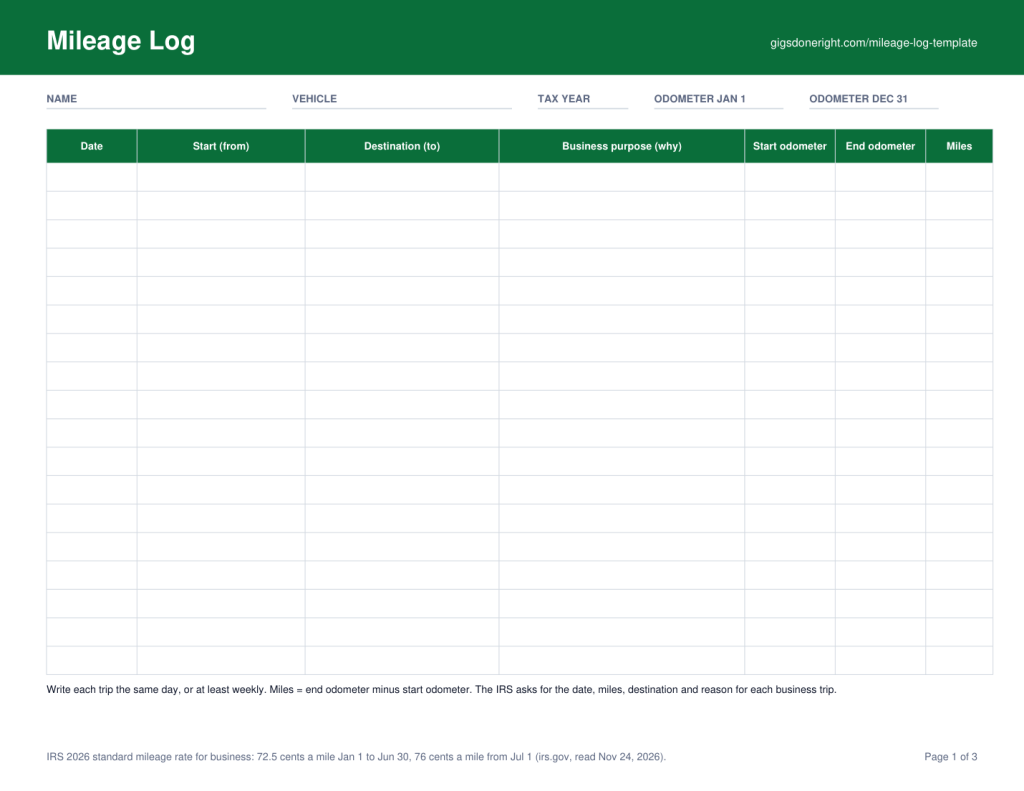
A mileage log template is a sheet where you write down every business trip: the date, where you went, why, and how many miles.
Download the PDF to print, or the Excel file to fill in on your phone or computer. Both are free.
Everything here is for tax year 2026, filed by April 15, 2027. First the files, then what the IRS wants in a log and how to keep one.
 Tired of writing every trip?QuickBooks Free costs $0 a month and has mileage tracking built in. No credit card needed.Track my miles free
What the IRS Wants in a Mileage Log
The IRS asks you to keep proof of your car costs. For each business trip, Publication 463 lists these things1:
The template covers all five. It also has start and end odometer columns, so the miles work themselves out. Pub 463 shows a sample daily log with the same start and stop readings1.
Two more rules from the same page1. You can’t deduct miles you guess at. And a log you update weekly counts as kept on time, so you don’t need to write every trip the minute it ends.
How to Fill In the Log: An Example
Here are three made-up trips from a delivery driver. Each trip is a row. The miles are the end odometer minus the start odometer.
Notice the purpose is short but clear. “Trip” alone won’t help you if the IRS asks.
How to Track Mileage for Taxes
Pick one way and stick with it for the whole year. Here is the plain paper-or-spreadsheet way:
- On January 1, write down the odometer reading. That is your start for the year.
- After each work trip, add a row: date, where you went, why, and the odometer before and after.
- Log it the same day if you can, or at least once a week.
- Keep toll and parking receipts. Those are deductible on top of the mileage rate2.
- On December 31, write down the odometer again. The difference is your total miles for the year.
- Keep the log and receipts with your tax records. The IRS says to keep records for 3 years from the date you file1.
Rather not type every trip? QuickBooks Free has mileage tracking built in, so each trip lands in a log for you.
What about the drive to work? Driving between home and a regular workplace is commuting, and it isn’t deductible1. Gig work often has no fixed workplace. We couldn’t find an IRS rule on how your first drive of the day counts. Log it with a note and ask your tax preparer.
What Your Miles Are Worth in 2026
The IRS sets a standard mileage rate. For business miles in 2026 it is 72.5 cents a mile through June 30, then 76 cents a mile from July 13. Multiply your miles by the rate for the months you drove them.
Say you drive 6,000 business miles from January to June, and 7,000 from July to December. These miles are only an assumption.
That deduction lowers the profit your taxes are figured on. It does not come off your tax bill dollar for dollar. The Excel template does this math for you on its Summary sheet.
Mileage or gas? You pick one method for your car, not both. Use the standard rate for a year and you can’t deduct gas, repairs or insurance on top1. To use the standard rate on a car you own, you must choose it in the first year the car is used for your business2. Not sure which method pays more? Run your numbers in standard mileage vs actual expenses.
Using Your Log When You File
Self-employed car costs go on Schedule C (Form 1040)2. Your total business miles come from this log. TurboTax and TaxAct both offer a self-employed version. Pick the one you’ll finish before April 15, 2027.

- Premium covers 1099-NEC and Schedule C
- Snap or upload your docs to fill it in
- On-demand expert help is an option

- Self-Employed is built for gig workers
- Unlimited expert sessions while you file
- Covers rideshare and freelance income
More Gig Tax Guides
- DoorDash 1099 and taxes: a worked example with mileage for Dashers.
- Uber 1099 and taxes: what drivers and couriers owe.
- Gig worker tax cheat sheet: 2026 dates, rates and forms on one page.
- Tax calculator: see what to set aside from your gig pay.
- 2026 standard mileage rate: the two rates for the year and how to claim them.
- 1099 deductions: what gig workers can write off, and the proof to keep.
- All Gig Worker Taxes guides
- IRS, Publication 463 (2025), Travel, Gift, and Car Expenses (read November 24, 2026)
- IRS, Topic no. 510, Business use of car (read November 24, 2026)
- IRS, Standard mileage rates (read November 24, 2026)